 bisano
Standard
Everything in Bisano Stock Count
Contact us
- Your articles on the device
- Scan, then type the quantity
- Check what you have counted
- Send it as a file, or to your ERP
Stock counting
Count your stock with a phone, a tablet or a rugged barcode scanner. Use a ready-made counting app as it is, change it to fit, or let us set it up for you.
Contact sales for a price · Free trial
What it does
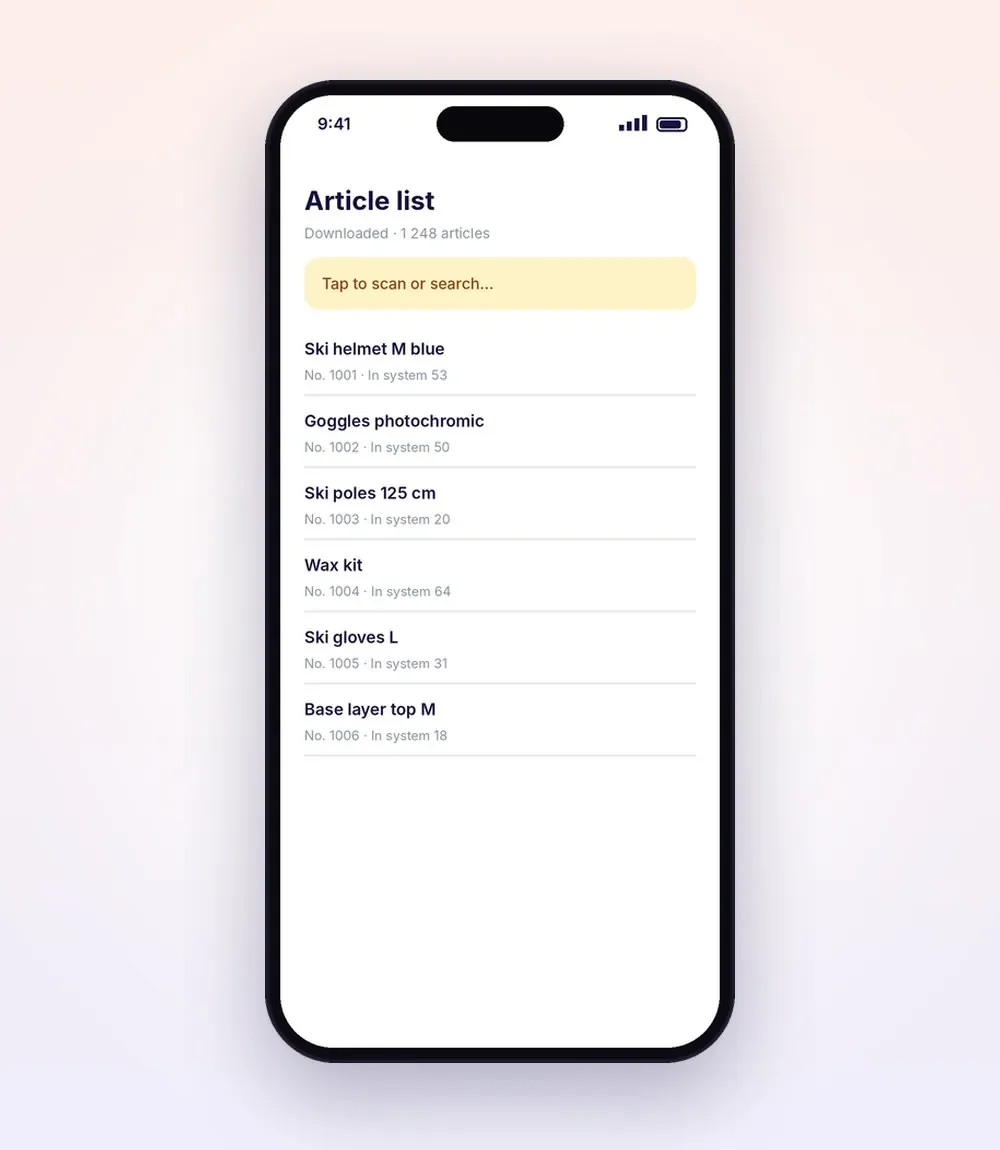
The article list downloads to a local database on the device, so you can count even where the signal is weak. Sort the list and tap the yellow field to start scanning.
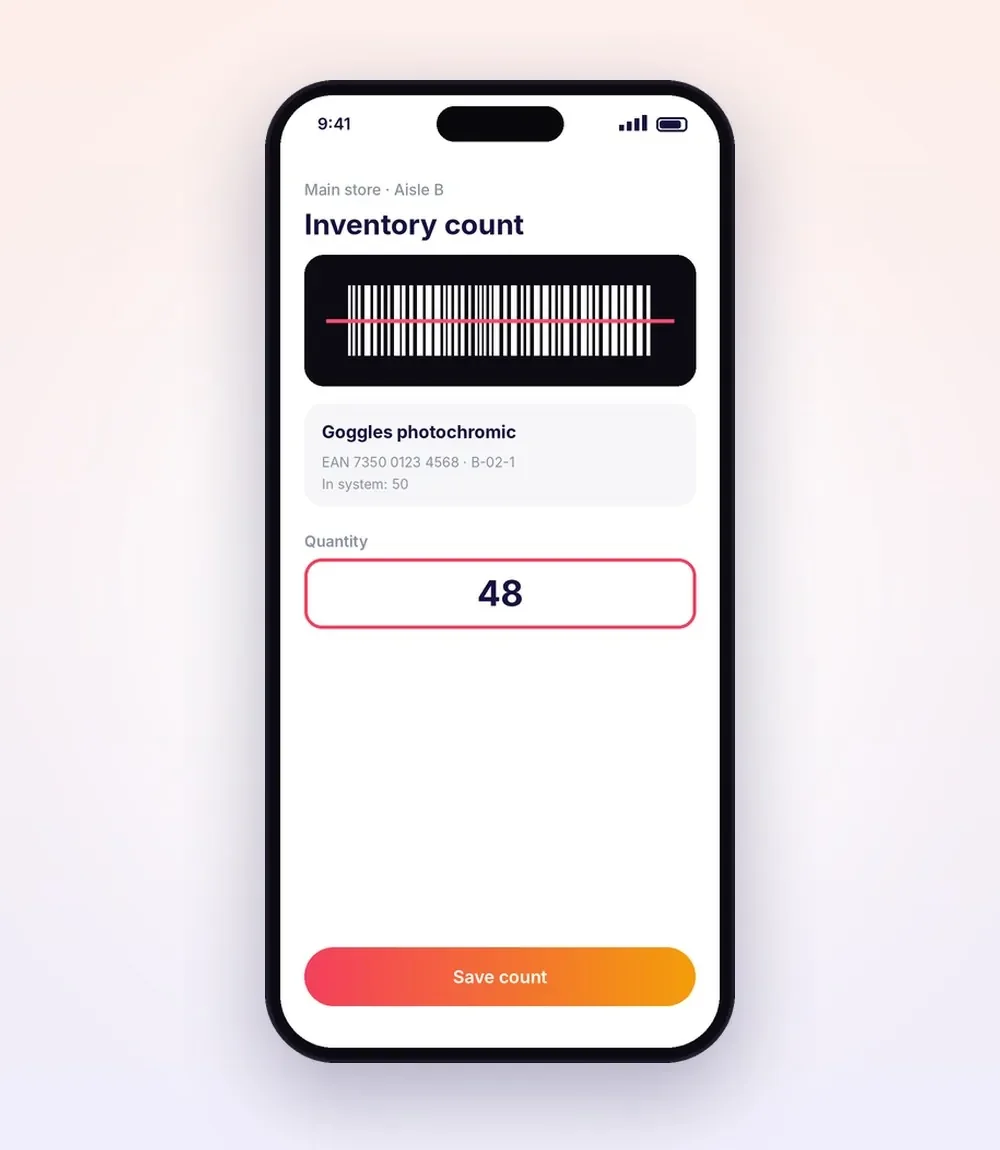
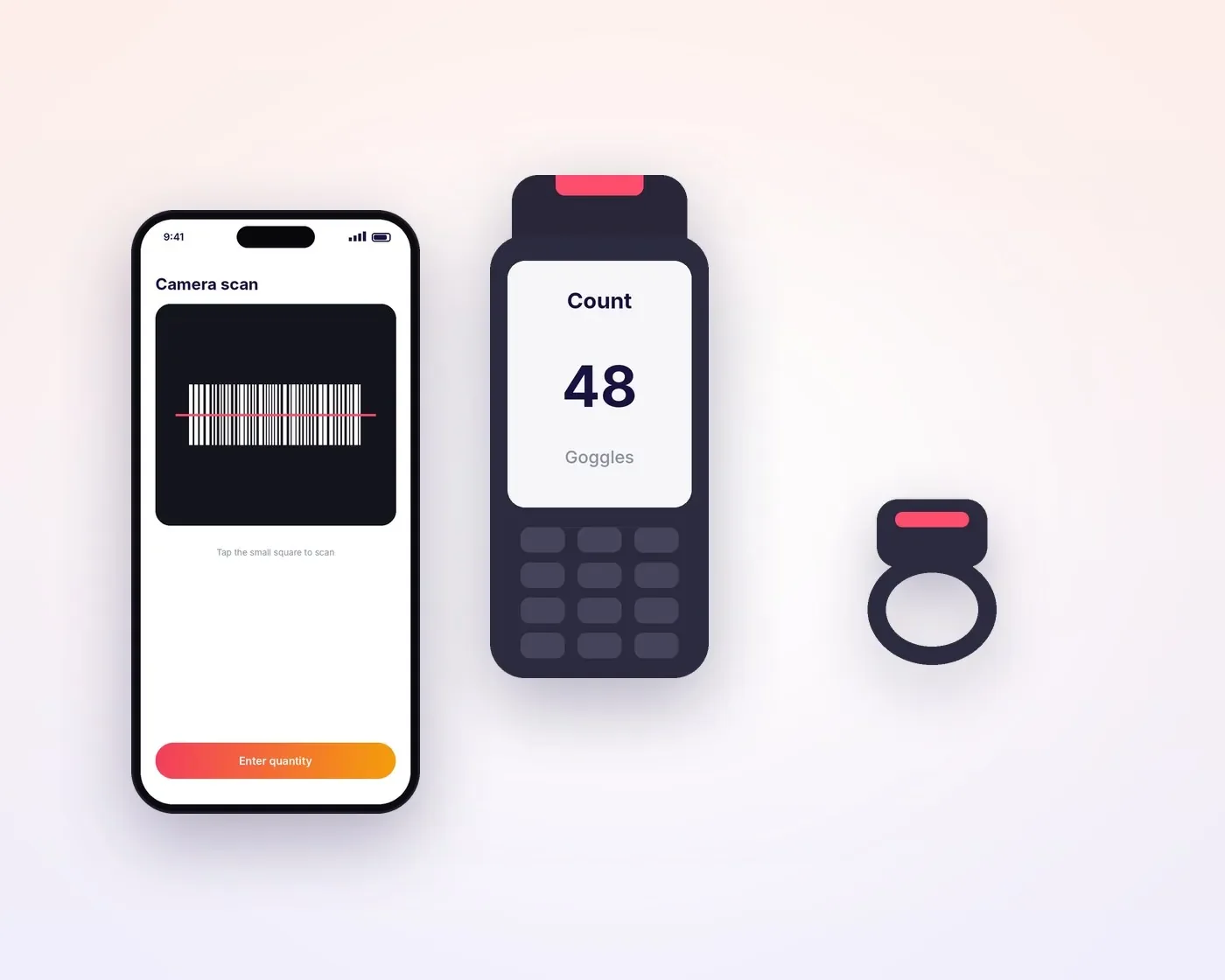
Scan the barcode with a hardware scanner, the keyboard or the phone camera. The article comes up right away, and you just enter how many you have.
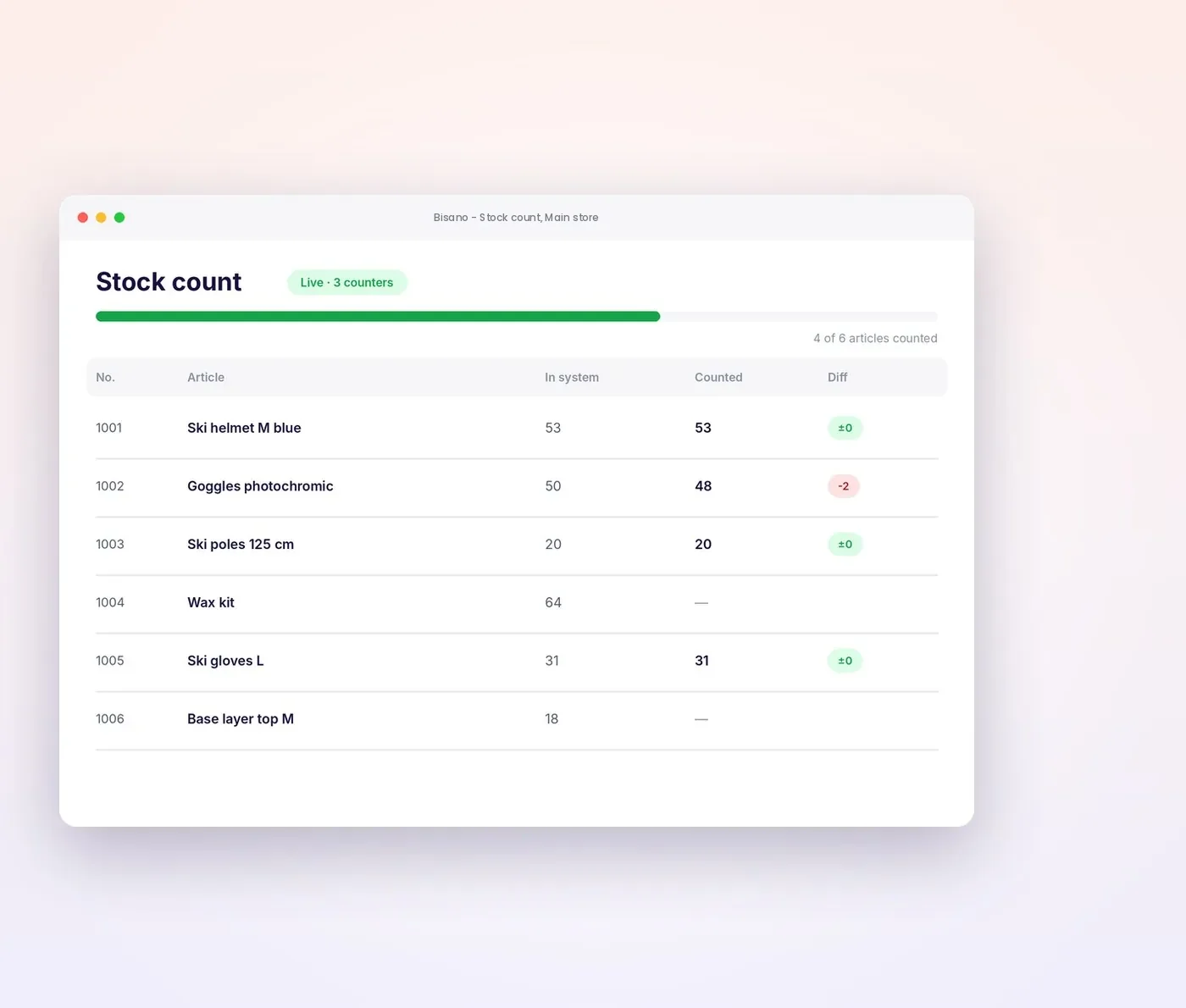
Every count is saved in the counted list. Sort it, check it, and remove a row with the trash bin if something went wrong.
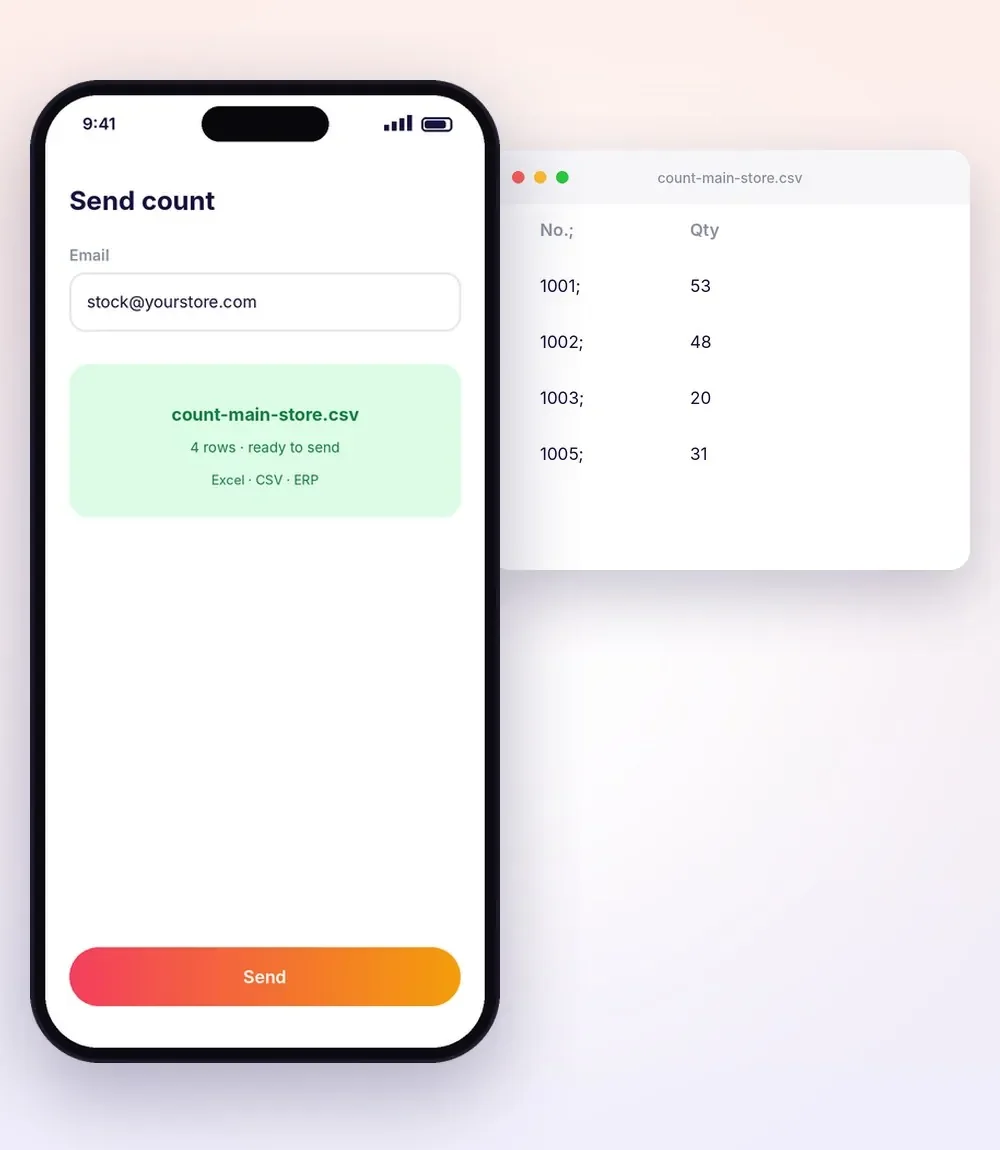
Enter an email address and press Send. The count becomes a CSV file you can open in Excel or import to your system. With a full integration it goes straight to your ERP.
Three people, one aisle, one live list. Everyone scans into the same cloud database, so differences show up at once and nobody counts the same shelf twice.
Work offline with Excel, CSV and XML files, share one cloud database for team counts, and connect your ERP when you are ready.
Bisano Stock Count screens
Getting started
Upload an Excel, CSV or XML file, or connect your ERP. The list downloads to every device in about a minute.
Walk the shelves with a phone or a barcode scanner and enter the quantities, with or without a signal.
Email the count as a CSV file or send it straight to your ERP, then clear the list and start the next count.
Bisano Stock Count
Prices exclude VAT. No hidden fees, no long sales process.
Everything in Bisano Stock Count
Contact us
Price on request
Contact us
Price on request
Contact us
Questions
Android phones, iPhones and iPads with the camera, or a real barcode reader for bigger counts: a Bluetooth scanner or a rugged Android or Windows handheld from Zebra, Datalogic, Honeywell, Opticon and others.
Yes. The article list is stored on the device, so you can count offline and send the result when you are done.
Yes. Everyone scans into the same cloud database, and the counted list fills in live as you go.
Yes. Start with Excel, CSV or XML files, and move to a full online ERP integration when you are ready.
Contact sales and tell us how many devices and sites you count with. You get a clear price the same day.
More from Bisano
Receiving, put-away, picking, packing and stock counts on handheld scanners.
Order from suppliers, or take orders from customers, in a simple scanning app.
Design shelf, price, shipping and badge labels, and print them from any device on any label printer.
Ready when you are
Start a free trial, or tell us what you need and we'll get back to you within one working day.
Keep an eye on your inbox (and the spam folder, just in case).