 bisano
Standard
Everything in Bisano Device Manager
Contact us
- Enrol with a QR code
- Every device at a glance
- Remote view and control
- Policies and profiles
Device management
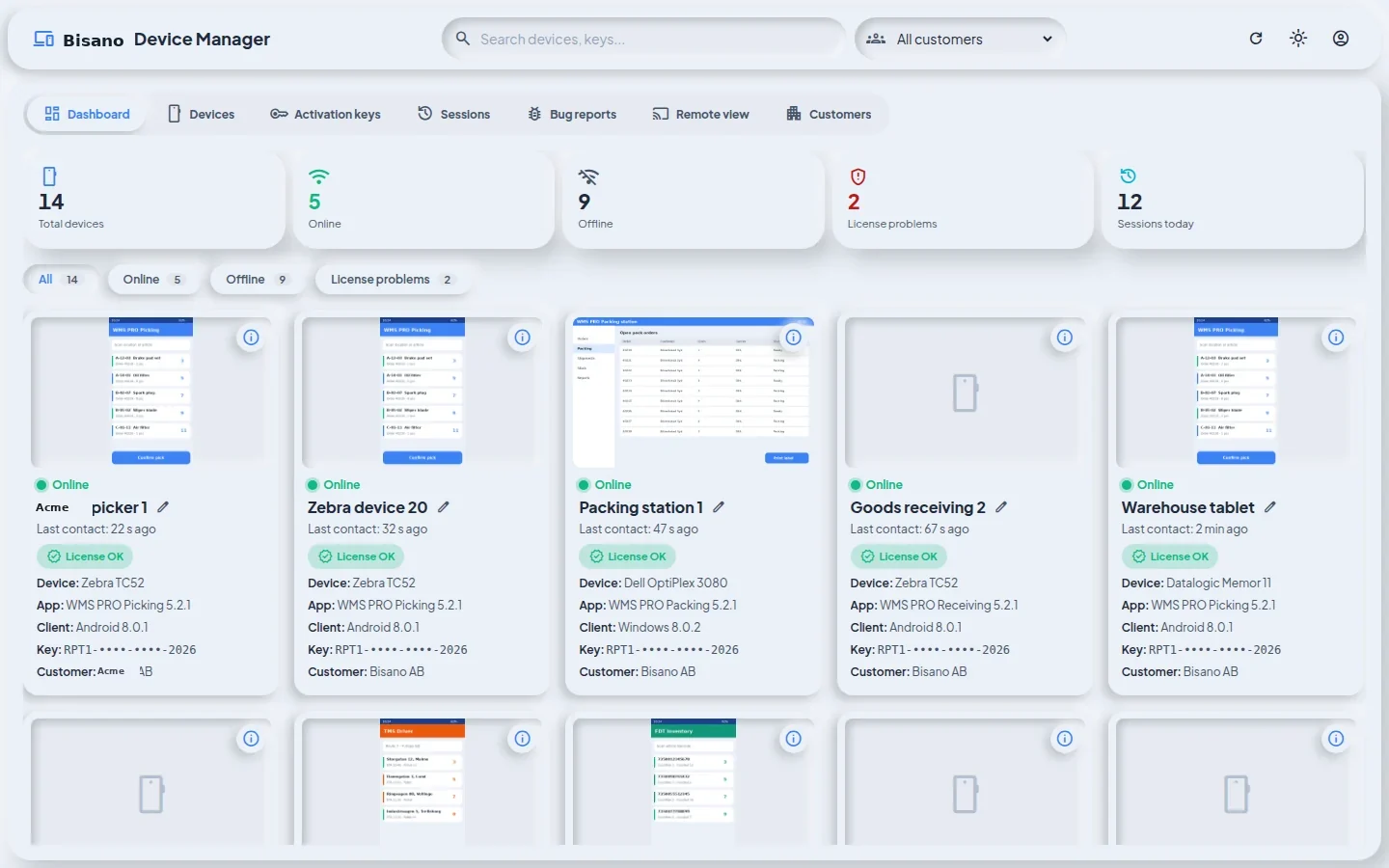
Enrol scanners, phones, tablets and PCs with a QR code, see which are online, which app and version they run, and help users with remote view and control.
Contact sales for a price · Free trial
What it does
Scan an enrolment QR code on the device, and it shows up on the dashboard with its activation key.
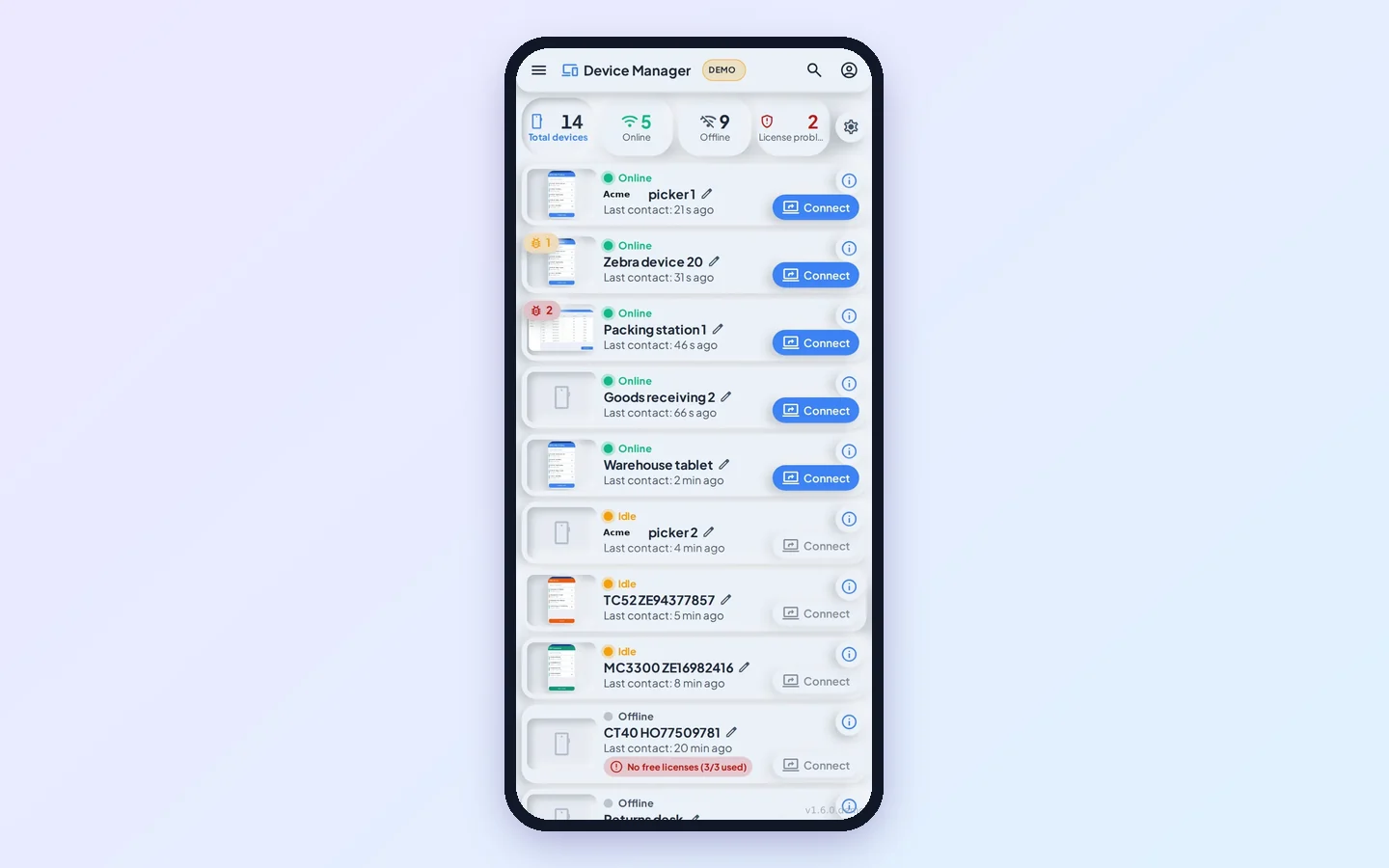
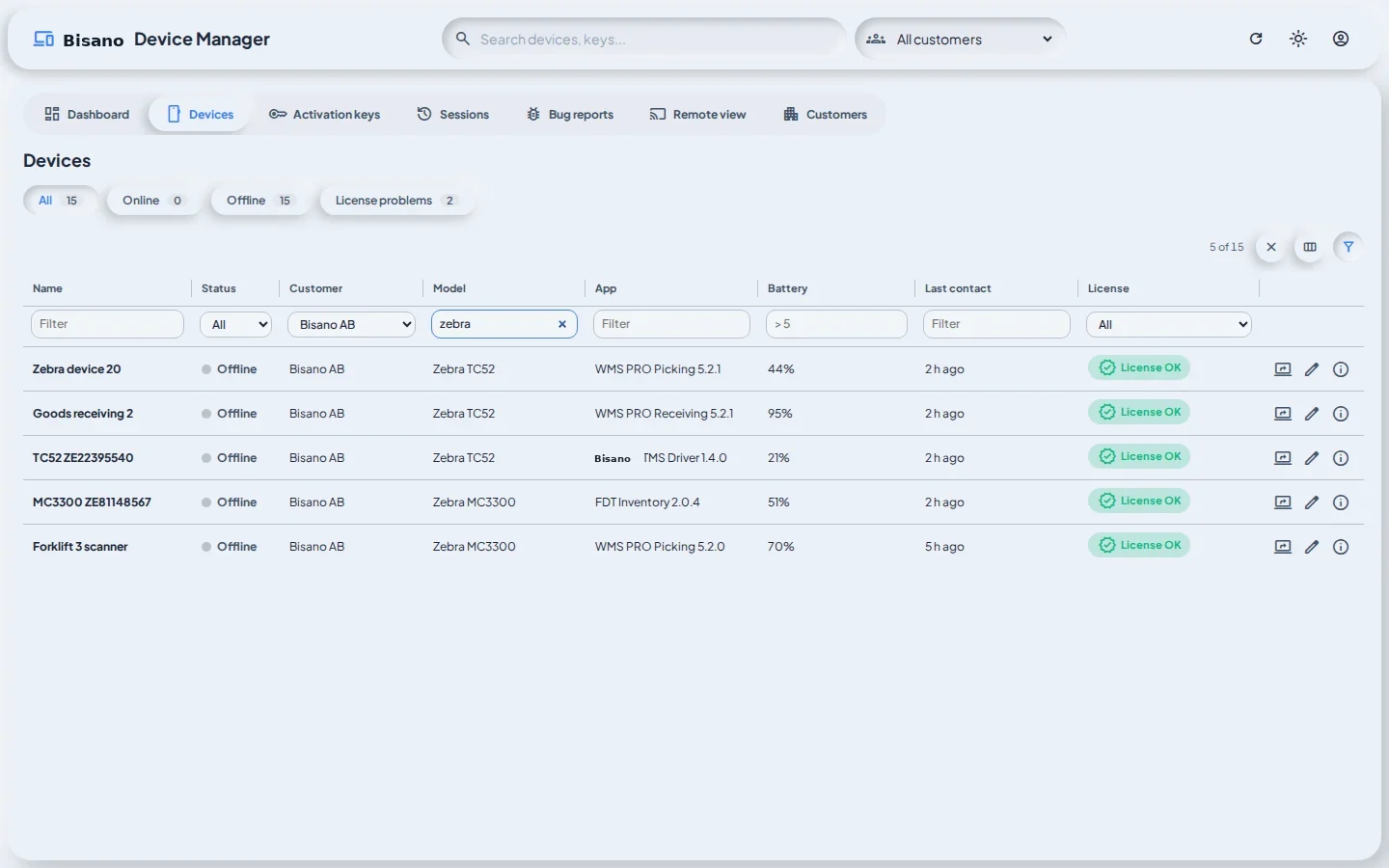
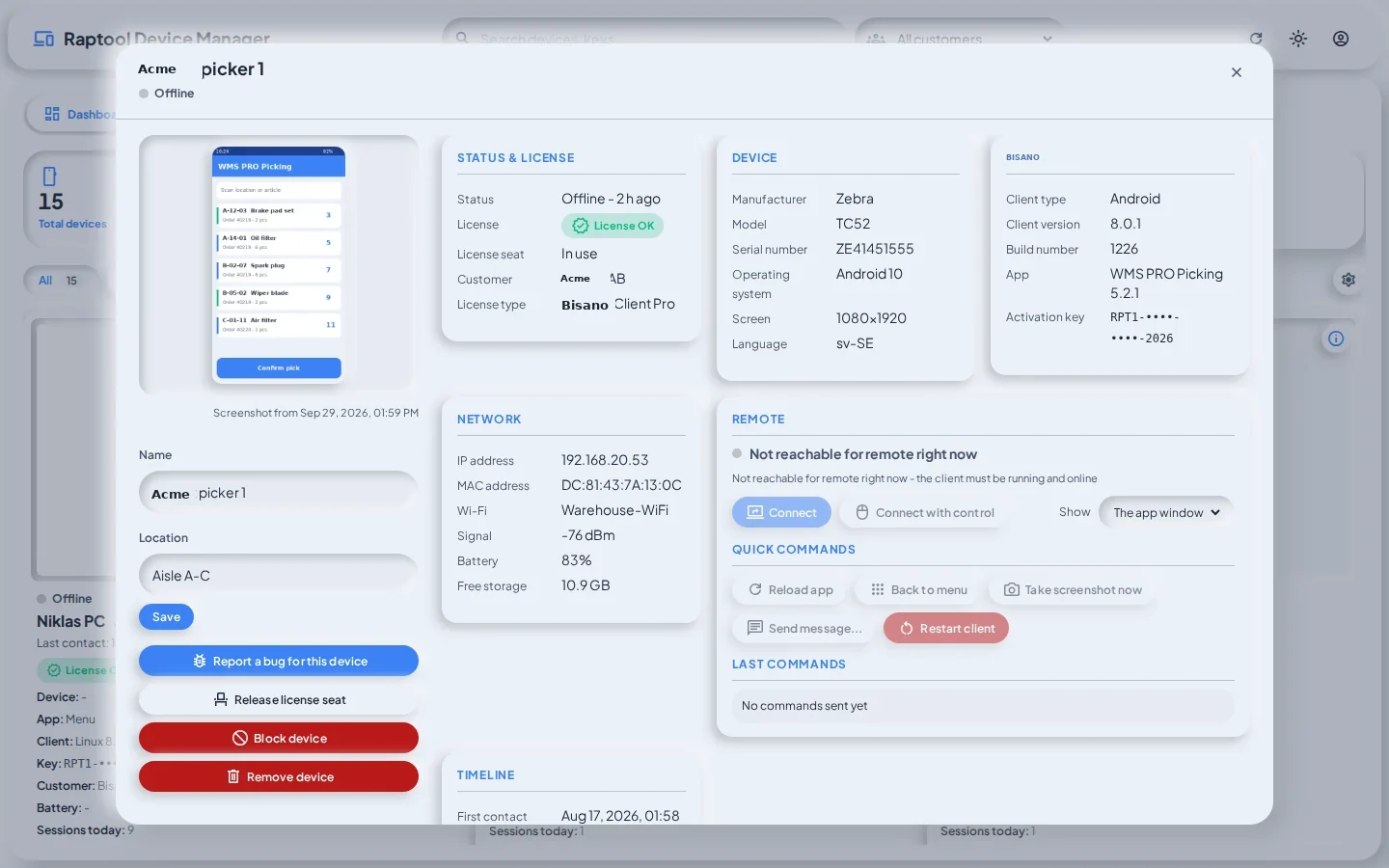
Online and offline status, last contact, model, app, version and licence for every device, with a live screen thumbnail.
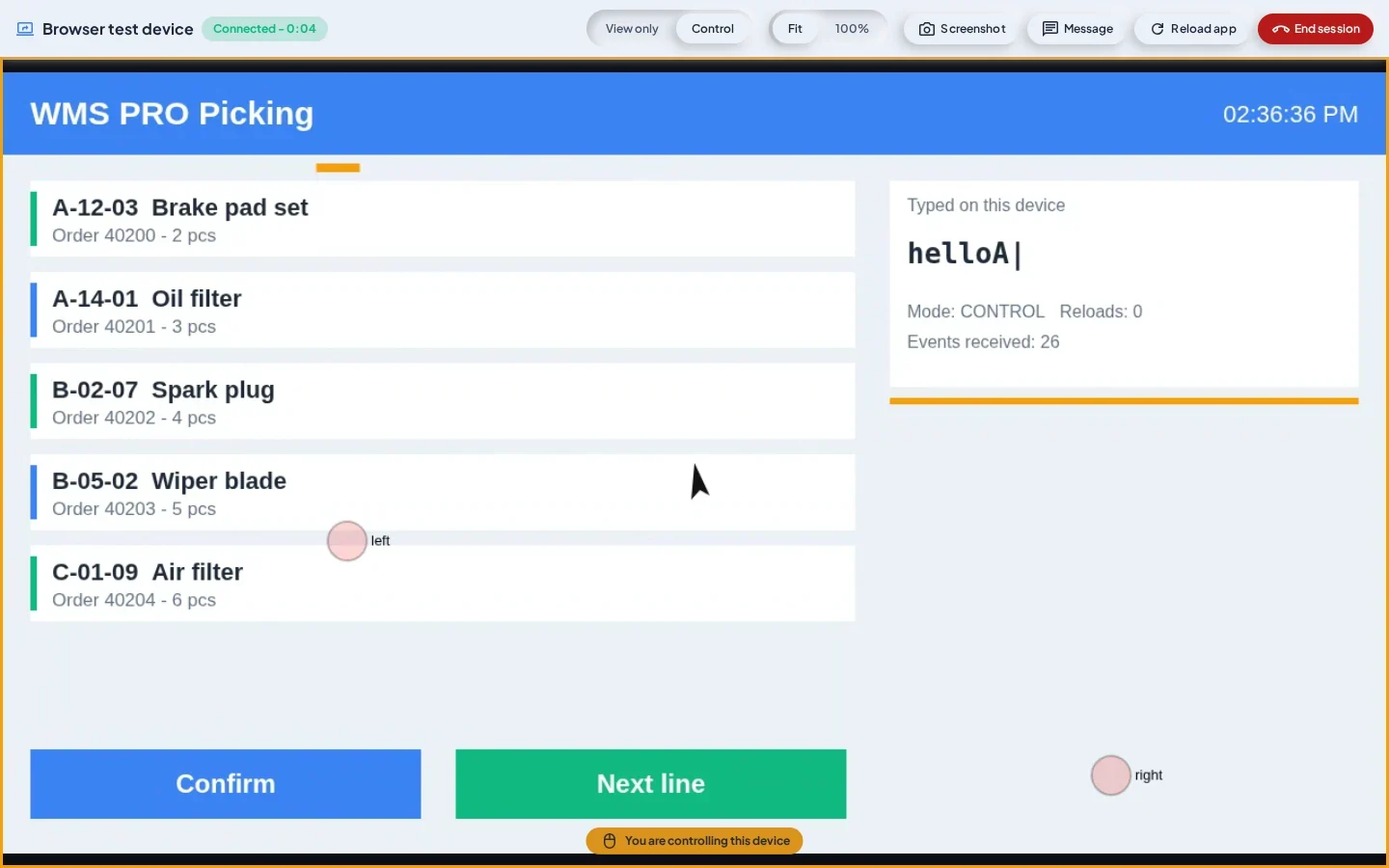
See the device's screen and help the user right away, without going out to the floor.
Set the same settings on a group of devices, and roll out the right app to the right devices.
Users report a problem from the device, and the report arrives with the device and app details attached.
Check devices and connect to them from your own phone.
Bisano Device Manager screens
Getting started
Make a key per customer or site, and print the enrolment QR code.
Scan the QR code on each scanner, phone or tablet.
Follow every device on the dashboard, and use remote view when someone needs help.
Bisano Device Manager
Prices exclude VAT. No hidden fees, no long sales process.
Everything in Bisano Device Manager
Contact us
Price on request
Contact us
Price on request
Contact us
Questions
Android scanners, phones and tablets running Bisano apps. Windows PCs, iPhone and iPad can be viewed.
Scan an enrolment QR code on the device. It then shows up on the dashboard.
Contact sales and tell us how many devices you have.
More from Bisano
Receiving, put-away, picking, packing and stock counts on handheld scanners.
Count stock with a phone, tablet or barcode scanner, offline or together in the cloud.
Order from suppliers, or take orders from customers, in a simple scanning app.
Ready when you are
Start a free trial, or tell us what you need and we'll get back to you within one working day.
Keep an eye on your inbox (and the spam folder, just in case).