 bisano
Standard
Everything in Bisano Orders
Contact us
- Scan it or search for it
- Pick from product groups
- Check the order list
- Tap Finish, and it is sent
Order management
Order from your suppliers, or let your customers order from you, in one simple app. No handwritten notes, emails, phone calls or faxes. Scan or pick the products, tap Finish, and the order goes where it should.
Contact sales for a price · Free trial
What it does
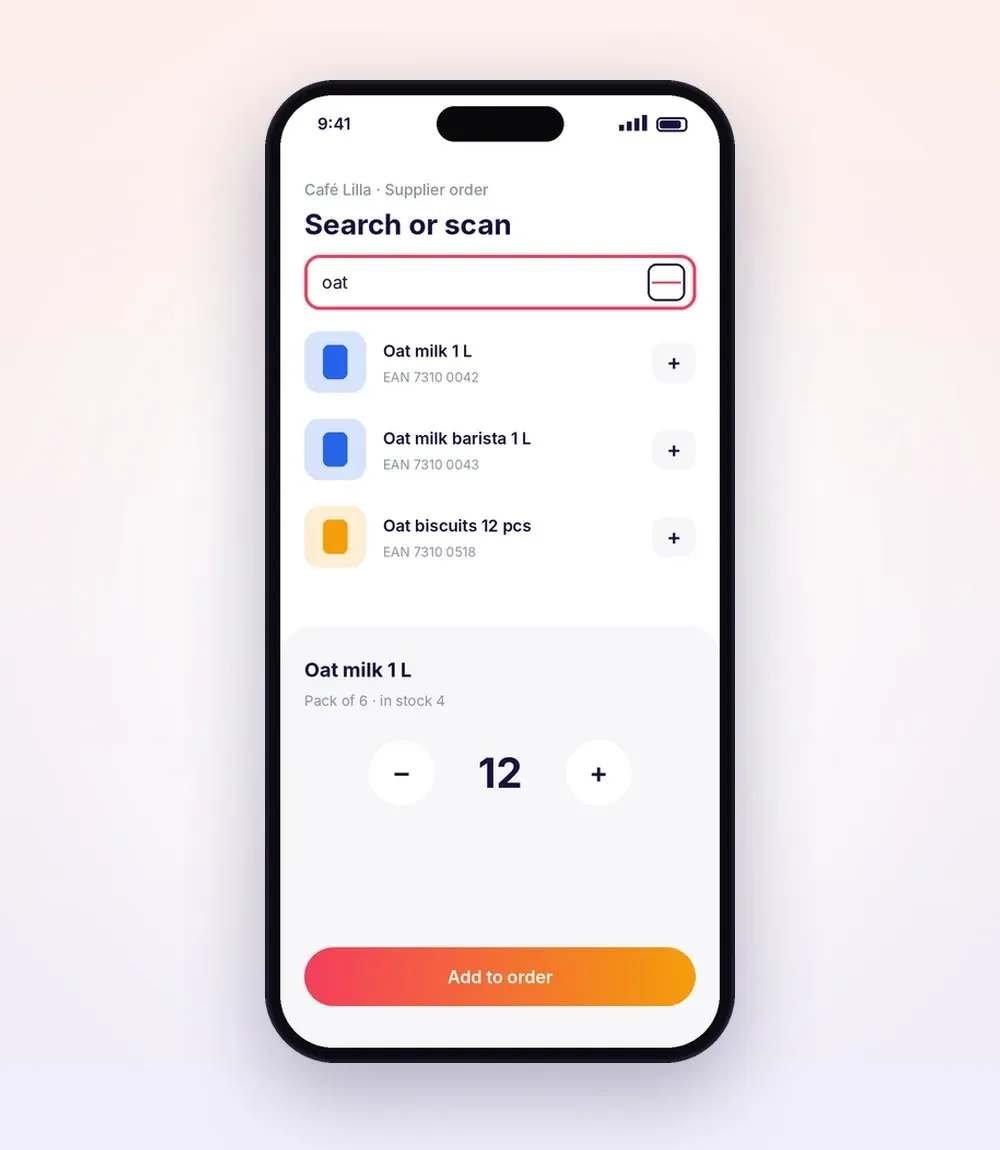
Scan the barcode with the phone camera or a barcode scanner, or search with free text. Choose the quantity and add it to the order.
Not sure of the name? Open a product group and pick the products from it, just like in a catalogue.
See everything on the order and sort it by tapping the header. Clear the list or go back to the main menu with one tap.
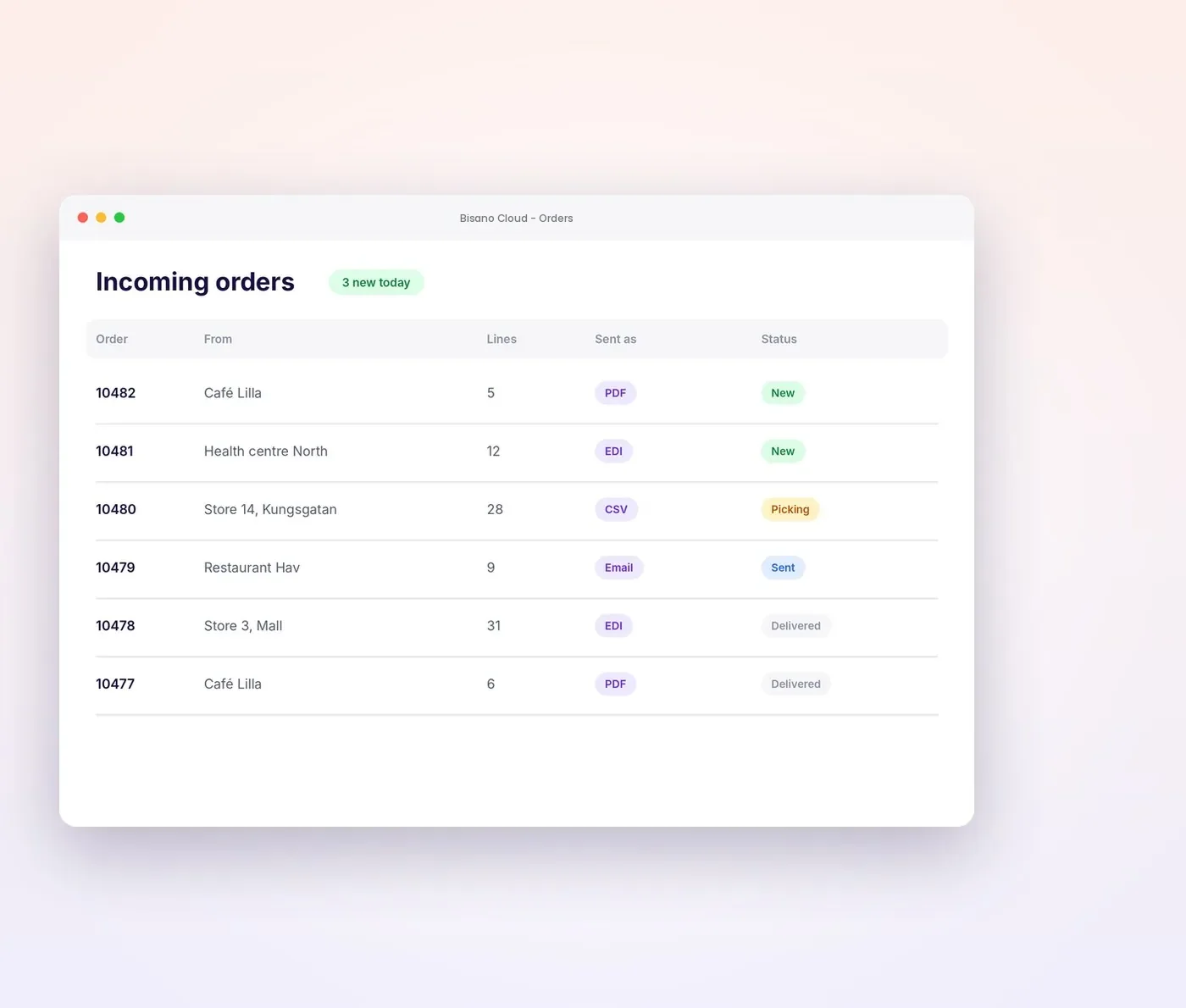
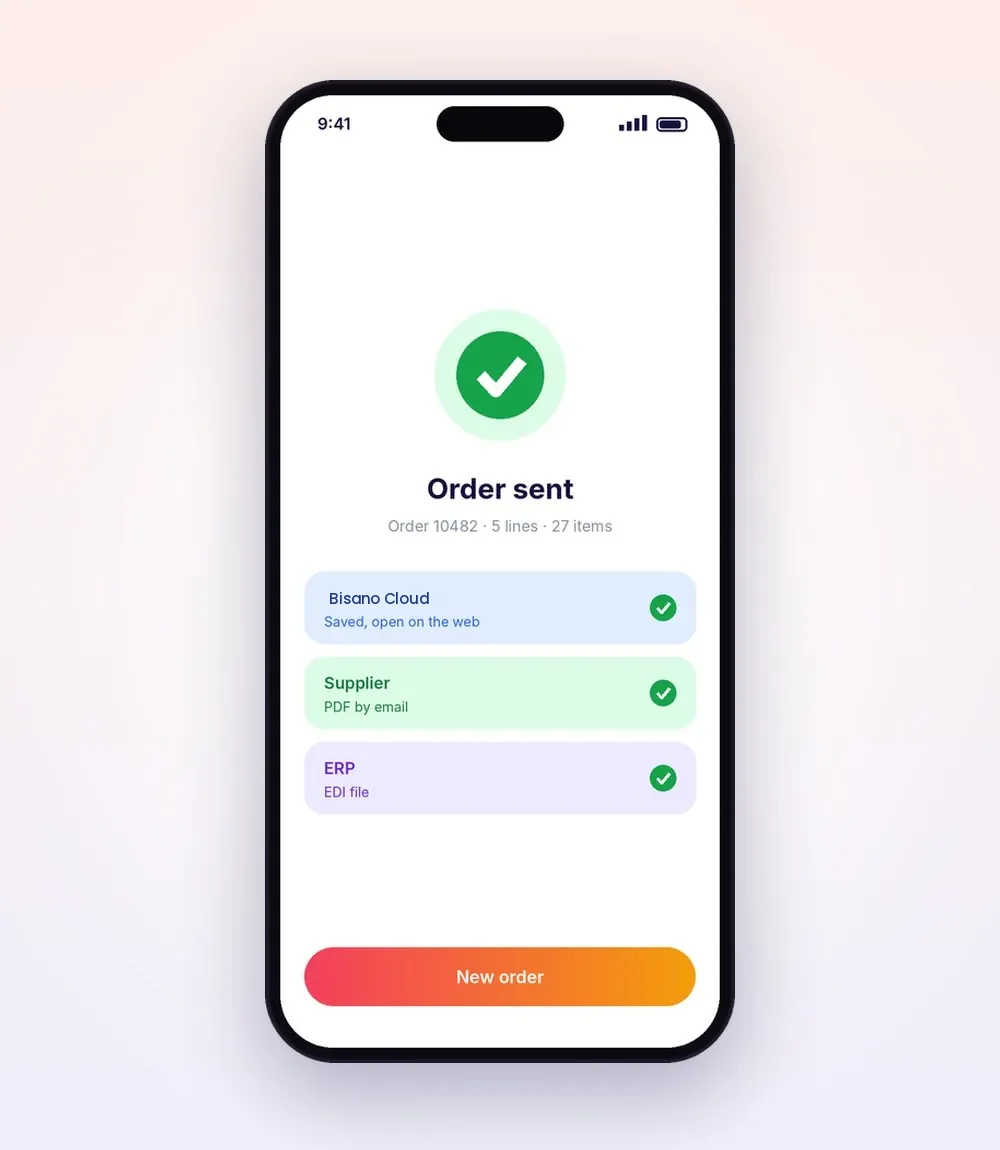
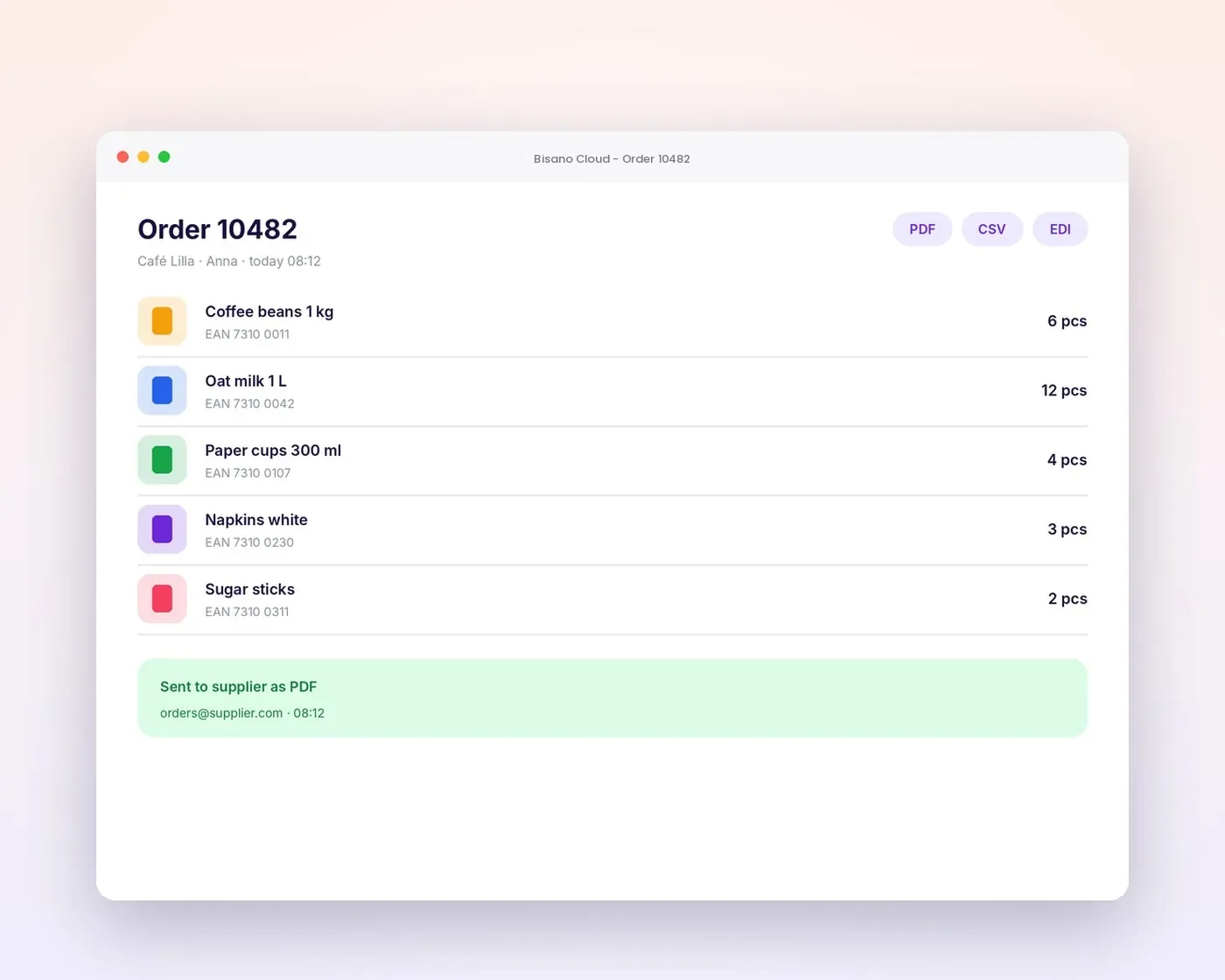
The Finish button sends the order. It is saved in the Bisano Cloud, sent to the supplier and passed on to your system, all at once.
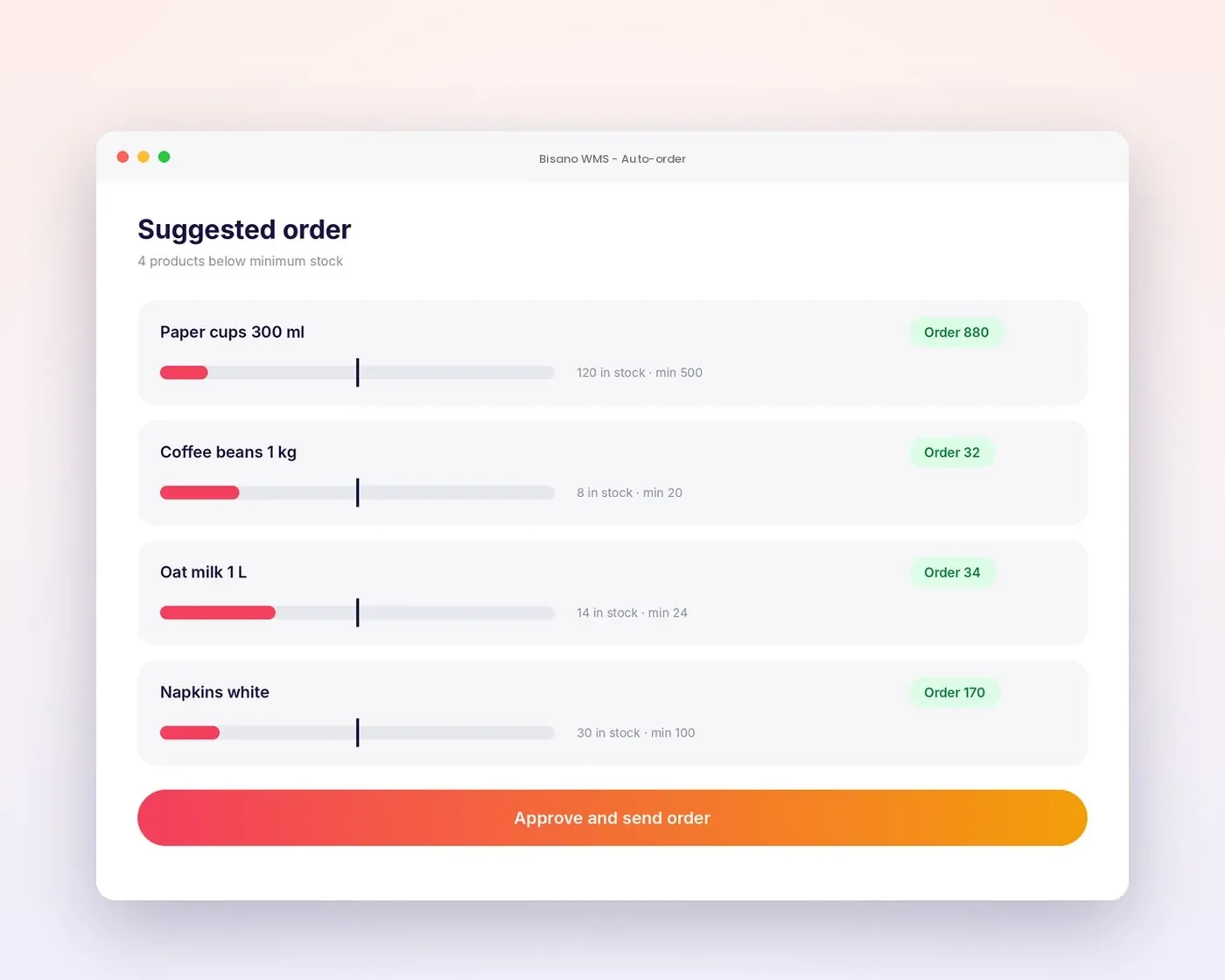
With Bisano WMS, the system sees when stock is low and suggests what to order. Approve the suggestion and the order is sent.
Orders are stored in the cloud and open in a web interface, or go out as PDF, CSV, ODBC, EDI or email, so they fit the systems you have.
Bisano Orders screens
Getting started
Import your products and product groups from a file, or connect your system.
Scan the barcode, search by name or open a product group, and choose the quantity.
The order is saved in the cloud and sent to the supplier and to your system, in the format each one needs.
Bisano Orders
Prices exclude VAT. No hidden fees, no long sales process.
Everything in Bisano Orders
Contact us
Price on request
Contact us
Price on request
Contact us
Questions
Android, iOS and Windows phones, tablets and barcode scanners.
PDF, CSV, ODBC, EDI or email, so the order fits the supplier and the systems you already have.
Yes. Together with Bisano WMS the system sees when stock is low and suggests what to order. Approve the suggestion and the order is sent.
Yes. The same app works for buying and for selling.
More from Bisano
Receiving, put-away, picking, packing and stock counts on handheld scanners.
Count stock with a phone, tablet or barcode scanner, offline or together in the cloud.
Design shelf, price, shipping and badge labels, and print them from any device on any label printer.
Ready when you are
Start a free trial, or tell us what you need and we'll get back to you within one working day.
Keep an eye on your inbox (and the spam folder, just in case).